Skip to content
Guide
Getting started

First login and making a character

The secondary password nobody warns you about, the ten-minute lockout after three wrong tries, and what it costs to change your username later.

Logging in

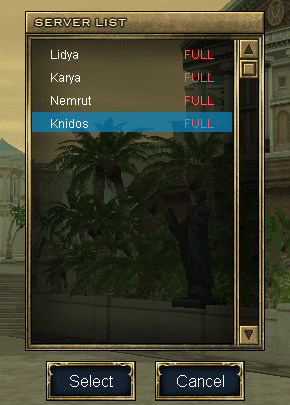
The server list showing Lidya, Karya, Nemrut and Knidos, every one of them marked FULL
FULL does not mean closed. It means you will queue, which is what the Premium page is about.
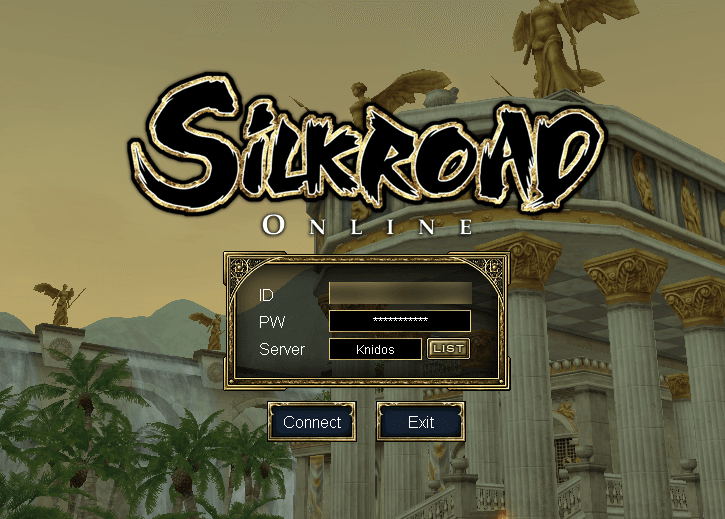
The login screen with ID, PW and Server fields and the Connect button
  1. 01Pick your server from the list and click Select (seç).
  2. 02Enter the username and password you registered with, and click Connect (bağlan).
  3. 03On your first login the Enter Secondary Passcode window appears. Set one there and then.
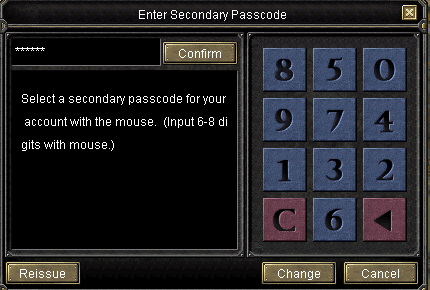
Enter Secondary Passcode, with a shuffled numeric keypad and Confirm, Reissue, Change and Cancel buttons
Six to eight digits, clicked with the mouse. The keypad is shuffled, so the digits are not where they were last time.

Making a character

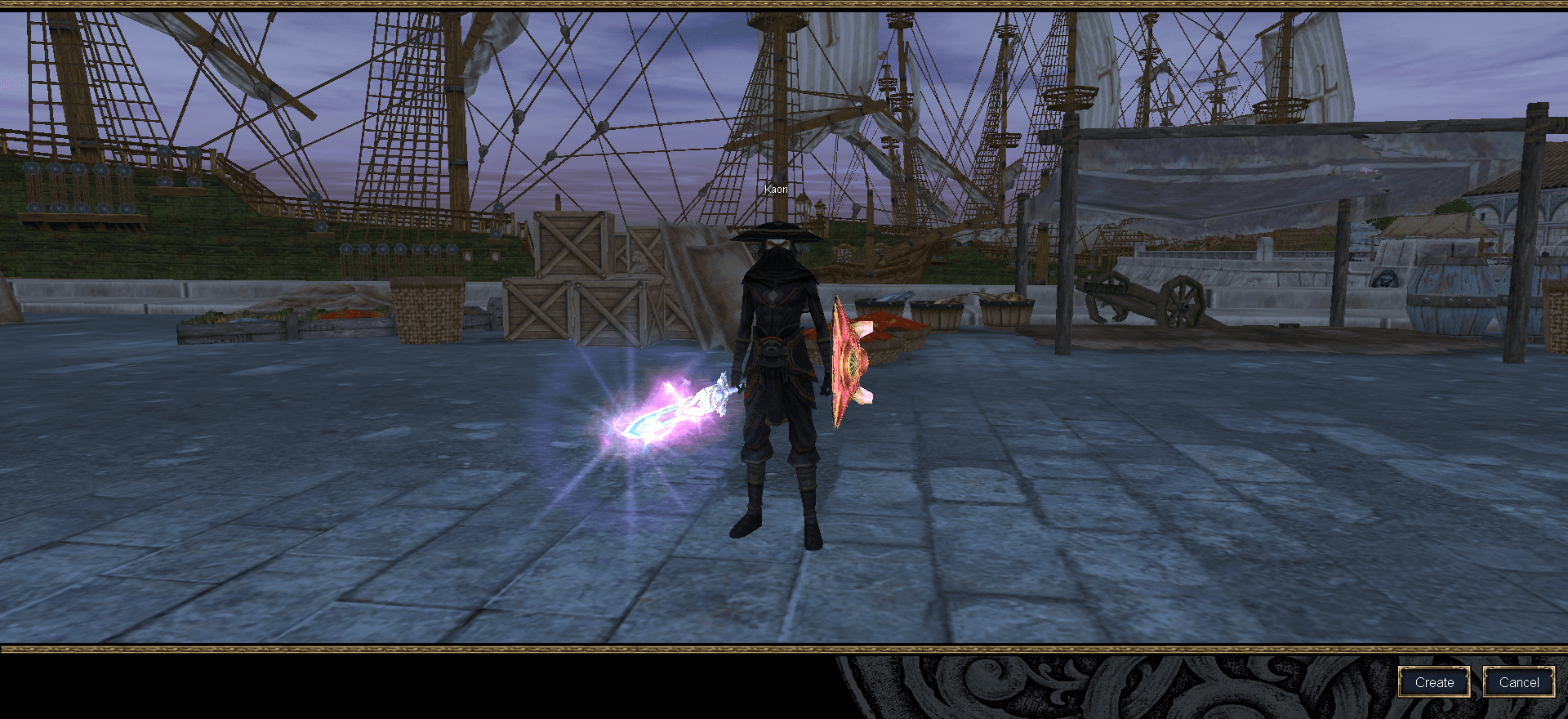
The character select screen, with the Create and Cancel buttons at the bottom right
  1. 01Click Create (Oluştur).
  2. 02Type a name and press Name check. Valid ID in the bottom left corner means it is free.
  3. 03Set Sex, then the five sliders. Cloth is your starting armour and Arms your starting weapon, and leaving either unset makes creation fail in a way that looks like nothing happened at all.
  4. 04Click Confirm (Onayla). It also fails if the name is taken or invalid.
  5. 05Select the character and click Start (başlat).
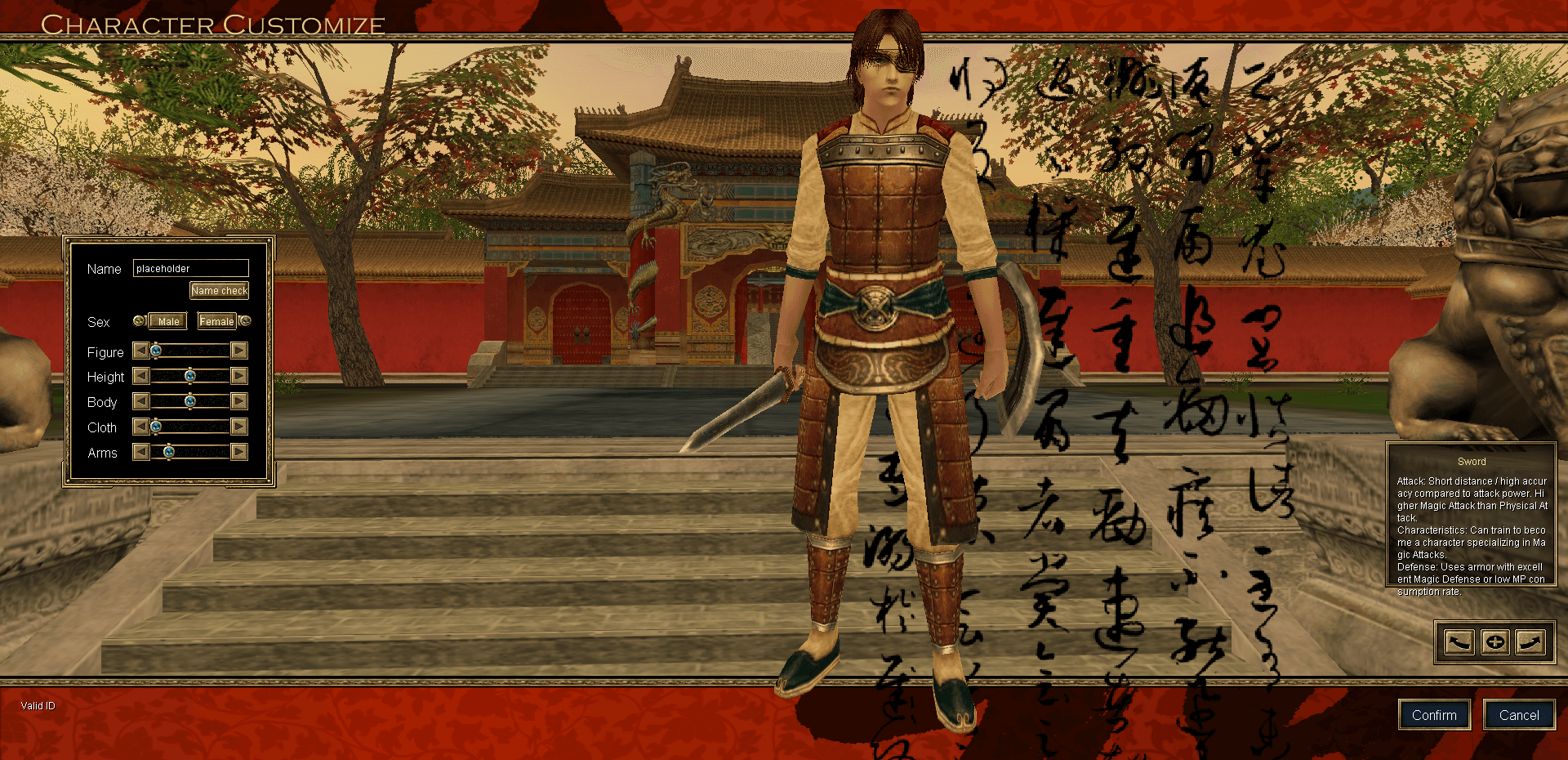
The character customise screen: the Name, Sex and slider panel on the left, a weapon description on the right, and Confirm at the bottom
Cloth and Arms are the two that matter. Move Arms and the box on the right tells you what that weapon is for: this one says the Sword has higher magic attack than physical, which is the game telling you it is the INT weapon.

Changing your username later

It is possible, and it costs 300 Silk. Log in to the website, open Hesabım (My account), and pick the option to change your username.

  • Between 6 and 16 characters, letters and numbers, no Turkish characters.
  • Enter the new name twice, then your current password, then the captcha.
  • A verification email is sent. Click the link in it, then confirm on the page it opens.
  • The change goes through and the 300 Silk is taken.