
Nothing here is difficult. It is just in a language most people arriving have never seen, and the buttons are the whole problem. Here is the walk, with what each one says.
Register
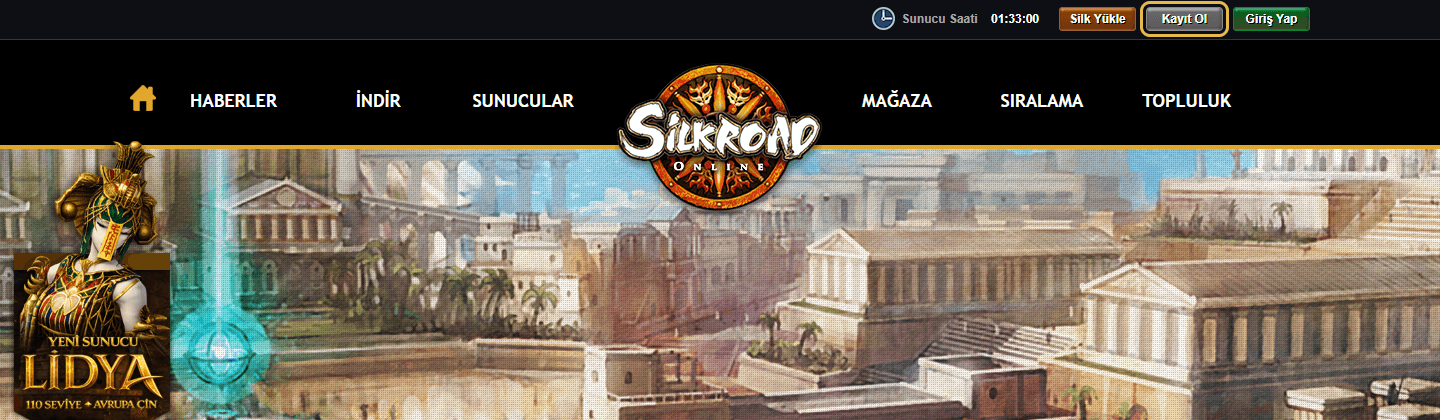
- 01Go to silkroad.gamegami.com and click Kayıt Ol (Register).
- 02Fill in the four fields. The rules the form prints under them are below.
- 03Tick the two agreement boxes, and the third if you want event mail.
- 04Solve the I'm not a robot box.
- 05Click Üyeliği Tamamla (Complete membership).
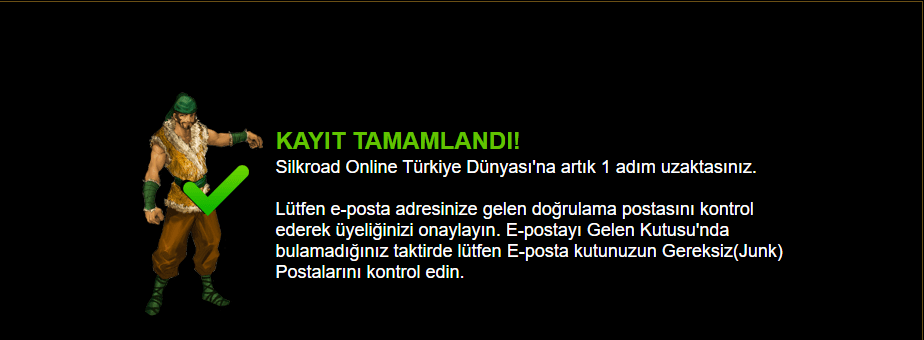
- 06Kayıt Tamamlandı appears. You are not done: the account still has to be activated from your email.
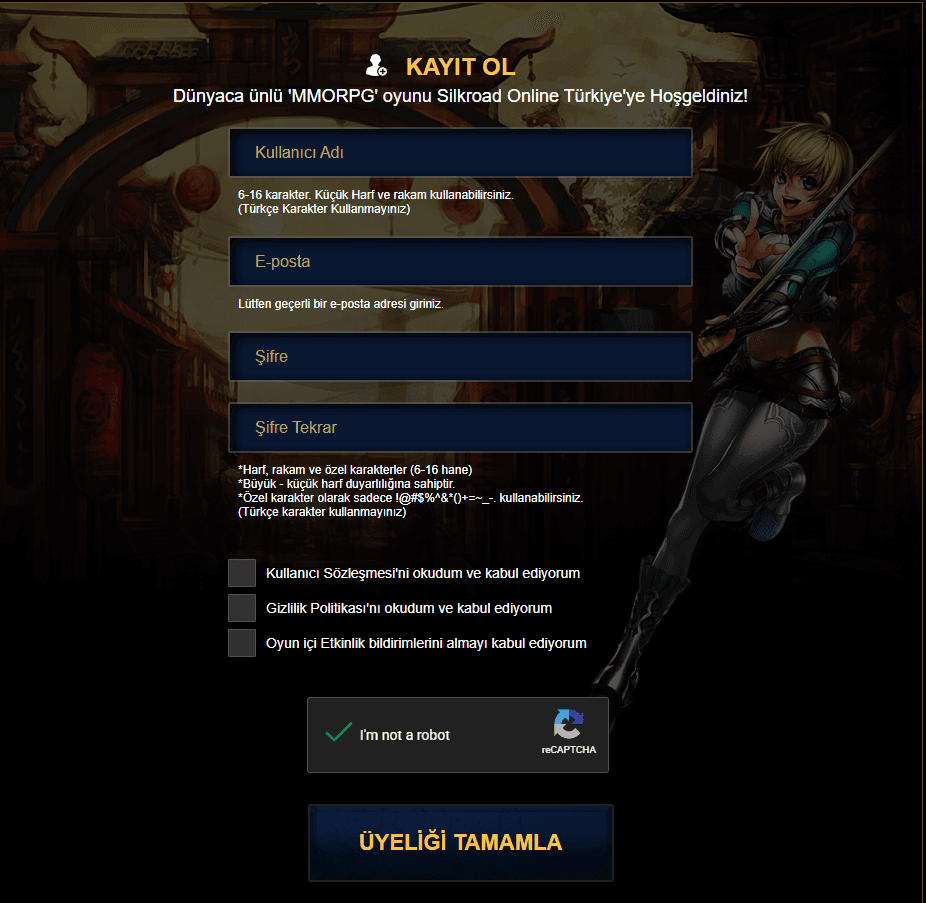
- Kullanıcı Adı
- Username. Six to sixteen characters, lowercase letters and digits only, and no Turkish characters.
- E-posta
- Email. It has to be a real address.
- Şifre and Şifre Tekrar
- Password, then the same password again. Six to sixteen characters, case sensitive, and the only punctuation it will take is !@#$%^&*()+=~_- and a full stop. No Turkish characters here either.
- Kullanıcı Sözleşmesi
- I have read and accept the user agreement.
- Gizlilik Politikası
- I have read and accept the privacy policy.
- Oyun içi Etkinlik bildirimleri
- I agree to receive in-game event notifications. This one is a mailing list rather than a condition of having an account.
Activate the account
The form submitting is not the end of it. The page that follows says so plainly, and it is worth reading rather than closing: you are one step away, not finished.
- 01Open the mail from the site. If it is not in the inbox, look in junk, which the page itself tells you to do.
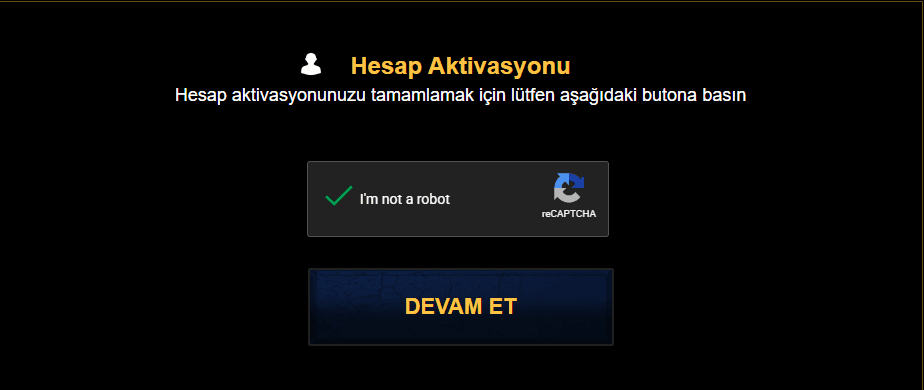
- 02Follow the link in it. Hesap Aktivasyonu (Account activation) opens.
- 03Solve the I'm not a robot box again and click Devam Et (Continue).
- 04Hesap aktivasyonunuz başarıyla tamamlandı means the account is live. Now you can log in.

Download and install
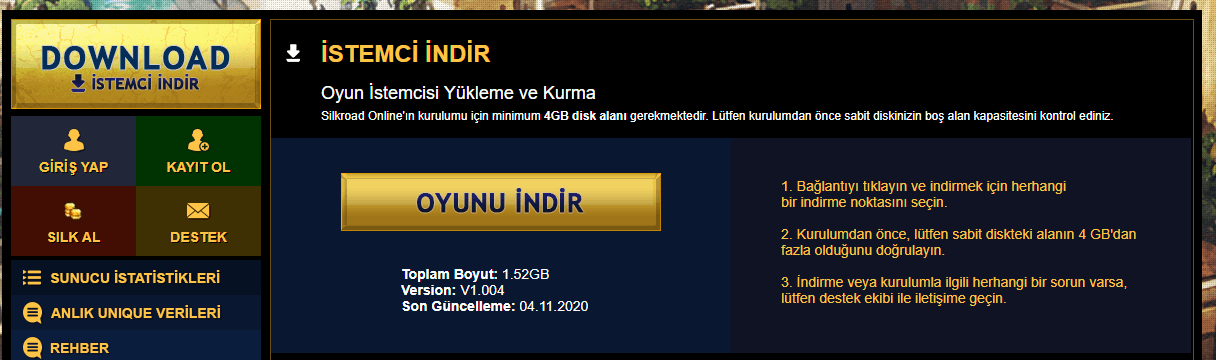
- 01In the left menu, click DOWNLOAD / İstemci İndir (Download client).
- 02In the window that opens, click Oyunu İndir (Download the game).
- 03Run the installer when it finishes and click Install.
- 04Choose a folder and click Start.
- 05Click OK when it is done.
Turkish you will meet
| Turkish | English |
|---|---|
| Kayıt Ol | Register |
| Üyeliği Tamamla | Complete membership |
| İstemci İndir | Download client |
| Oyunu İndir | Download the game |
| Kayıt Tamamlandı | Registration completed |
| Hesap Aktivasyonu | Account activation |
| Devam Et | Continue |
| Gereksiz (Junk) | Junk mail |
| Giriş Yap | Log in |
| Hesabım | My account |
| Şifre | Password |
| Kullanıcı Adı | Username |
| Sunucu | Server |