
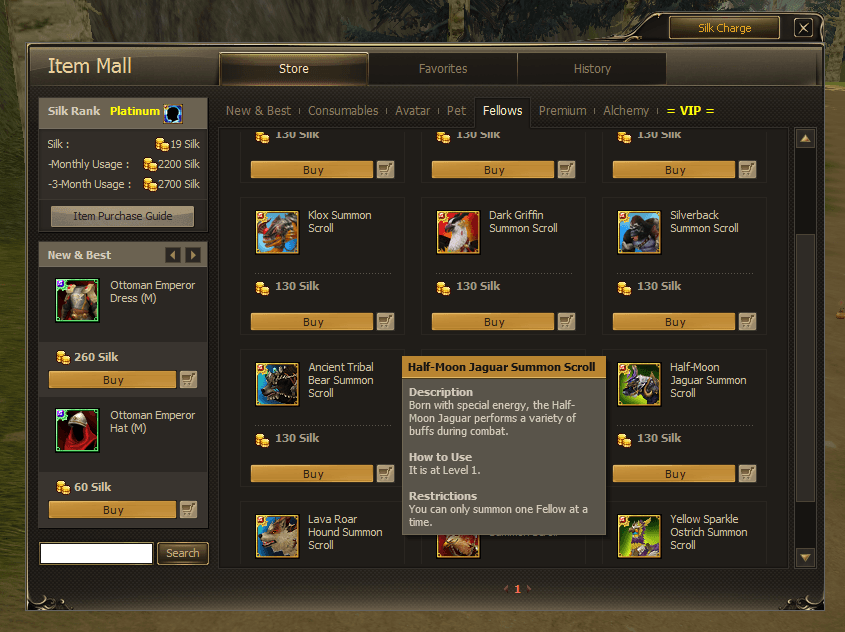
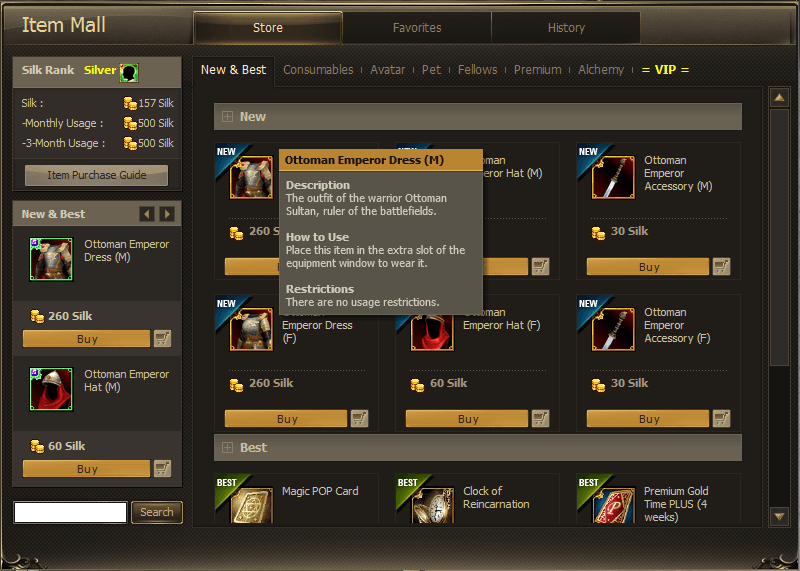
You open the mall and everything is in Turkish, and no amount of patching the client changes it. That is because the mall was never in the client: the game fetches it off the web as you open it. So this comes at it from the other side and translates the page on its way in.
Download the Item Mall translatorOpen source, on GitHub. Nothing is installed.Watch the walkthroughWorth it for the Windows settings step, which is the only fiddly part.What it does
- Translates the mall as it loads: item names, descriptions, how-to-use text, tabs and buttons.
- Around 2,500 lines, most of it Joymax's own official English.
- Nothing is installed and no game file is modified.
Setup
- 01Make a new folder anywhere, the Desktop is fine, and put the .exe inside it. It writes a couple of files next to itself, so do not leave it loose in Downloads.
- 02Double-click it. Windows will say "Windows protected your PC" because the file is not signed: click More info, then Run anyway.
- 03A black window opens. That window is the program. Leave it open while you play, minimised if you like. Closing it turns the translation off.
- 04Press the Windows key, type Internet Options and open it. Go to the Connections tab, click LAN settings, tick "Use automatic configuration script", and paste the address below into the Address box. Click OK, then OK again.
- 05Open the mall in game. If it was already open, close and reopen it.
| Paste into the Address box |
|---|
| http://127.0.0.1:8080/proxy.pac |
Does this mess with my internet?
No. That address is the program running on your own PC, and it only handles the mall. Your browser, Discord, downloads and the game itself do not go through it. To turn it off, untick the same box you ticked. Nothing was installed, so there is nothing to uninstall.
Another language
The wordlists are plain text files sitting next to the app. Edit them and you have the mall in Portuguese, Spanish, or whatever you like. That is also the easiest way to fix a line you think reads badly.